Switch Your Hosting.
We'll Help You Move.
Enjoy free migration assistance, free SSL, and 50% off your first year of eligible hosting.

Free 'n' easy
Get everything moved over — no fees,
no fuss.

Auto-switch
Enjoy a set-and-go experience without stress or mess.

Always live
Keep your visitors happy with zero downtime.
3 easy steps to migrate
your website hosting
2. Start your website migration
Enter your current site credentials to set up an automatic transfer.
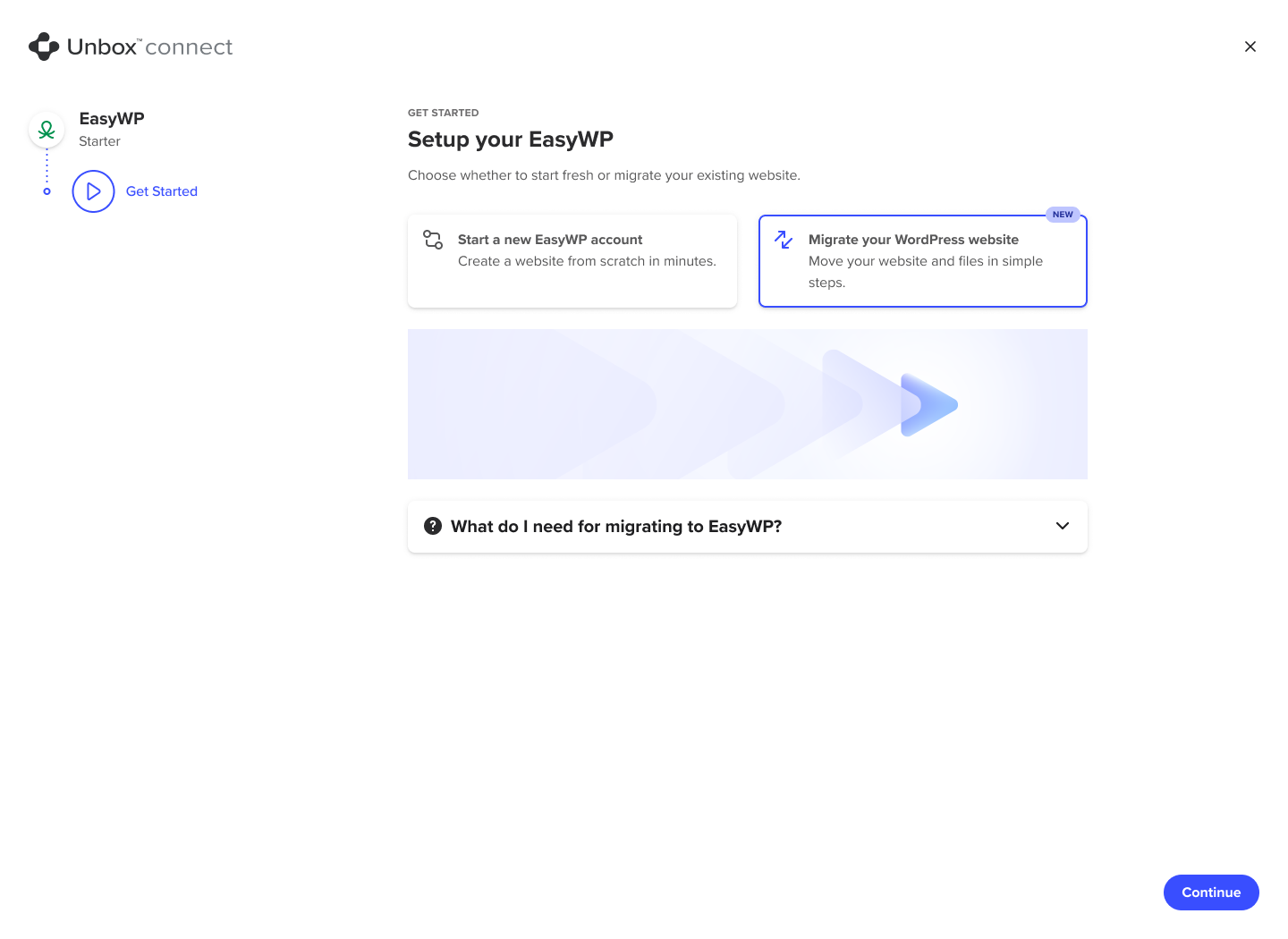
1. Set up your EasyWP
Select the option to migrate your existing website.
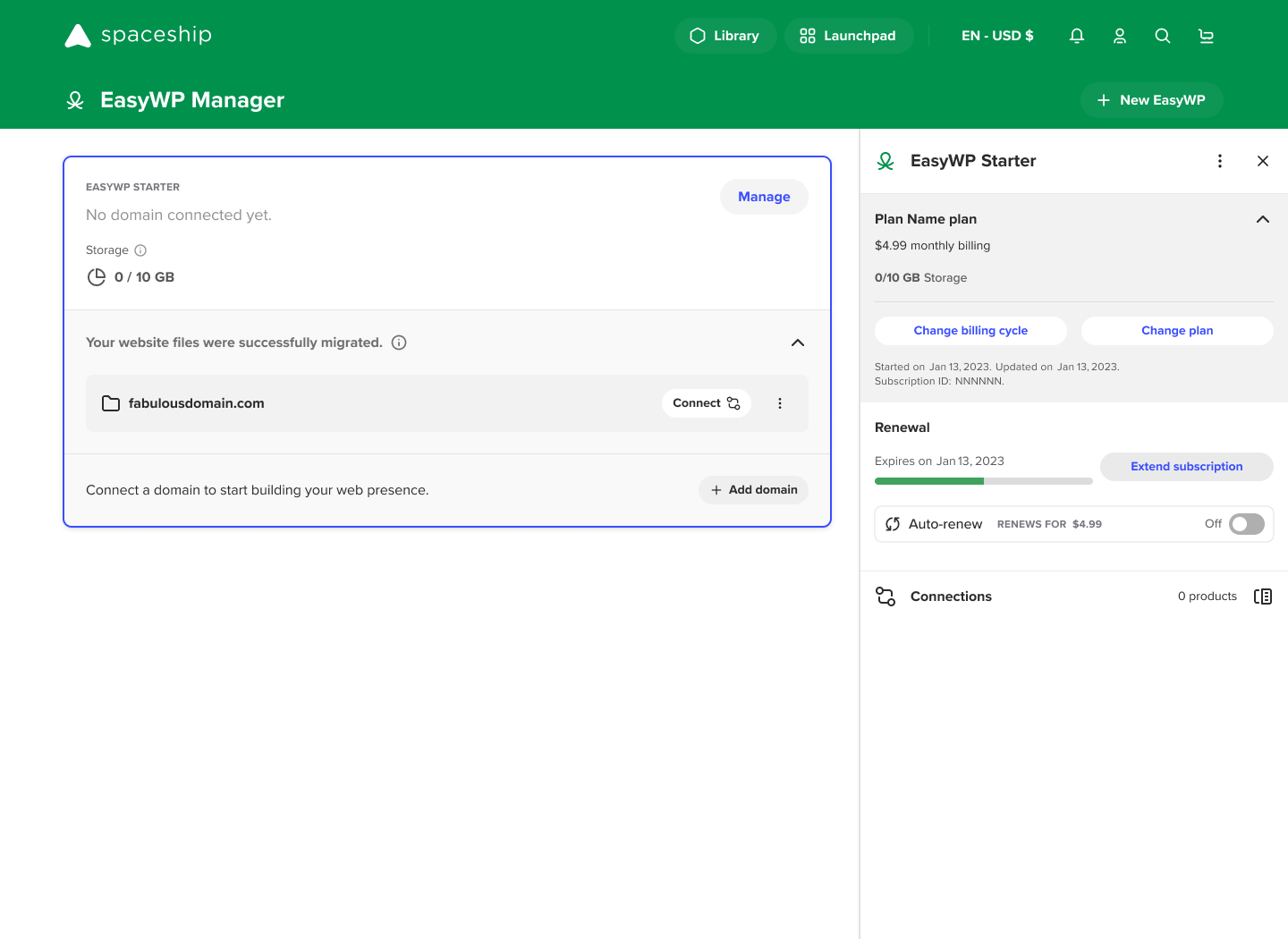
3. Connect your domain
Once migrated, you can connect your domain and start managing your website.
What you need for
migration to EasyWP
Watch our video guide
Website details
- •The full web address (URL) of your current website, e.g., https://yourdomain.com.
- •Your WordPress admin login details for your current website. You will not be able to log in using social media accounts.
- •CAPTCHA verification and Two-factor authentication (2FA) deactivated.
File size and database account limits
Before automatically migrating your website, we recommend checking that the size of your files and database are within
the limits of your EasyWP account. The maximum available server disk space for your account depends on the EasyWP plan:
- •EasyWP Starter: 10 GB
- •EasyWP Turbo 50 GB
- •EasyWP Supersonic 100 GB
The database size for each EasyWP plan is restricted to 3 GB. The database size does not count towards the subscription's
overall disk usage.
No-fuss WordPress
Hosting price plans
Skip over cost barriers with the most affordable hosting for WordPress around.
WordPress Basic
Get Your Website Online
WordPress Business
Power Your Website's Growth
WordPress Business Pro
Grow Without Limits
*Prices reflect discount on the first billing cycle.
All-in-one EasyWP Dashboard
Manage your WordPress site effortlessly
Simple backups
Have peace of mind with an easy backup and restore tool.
File and database access
Securely access your website files and folders with SFTP.
Analytics
Check the health of your site with simplified reports and graphs.
Security
Shield your online project from threats with EasyWP's exclusive security tools.